Crawl and Understand
Point the pipeline at your existing site. Agents crawl it, separate the shared chrome — headers, footers, navigation — from the content that actually varies, and classify every page: article, FAQ, form, table data, listing.
Migrate your content into RIFT and then manage how it lives there afterward. No magic — every step below is observable, logged, and reversible.
Point the pipeline at your existing site. Agents crawl it, separate the shared chrome — headers, footers, navigation — from the content that actually varies, and classify every page: article, FAQ, form, table data, listing.
The pipeline finds the repeating structural patterns across your pages and proposes a formal design system — components, tokens, and CSS derived from what your site already does, not imposed from a template.
Design decisions and ambiguous pages pause the pipeline and come to you. Approve, adjust, or override — then the agents apply your decision across every matching page.
Content arrives in RIFT parameterized against your new design system, with links rewritten, assets stored, and every page in draft state — ready for review, not already live.
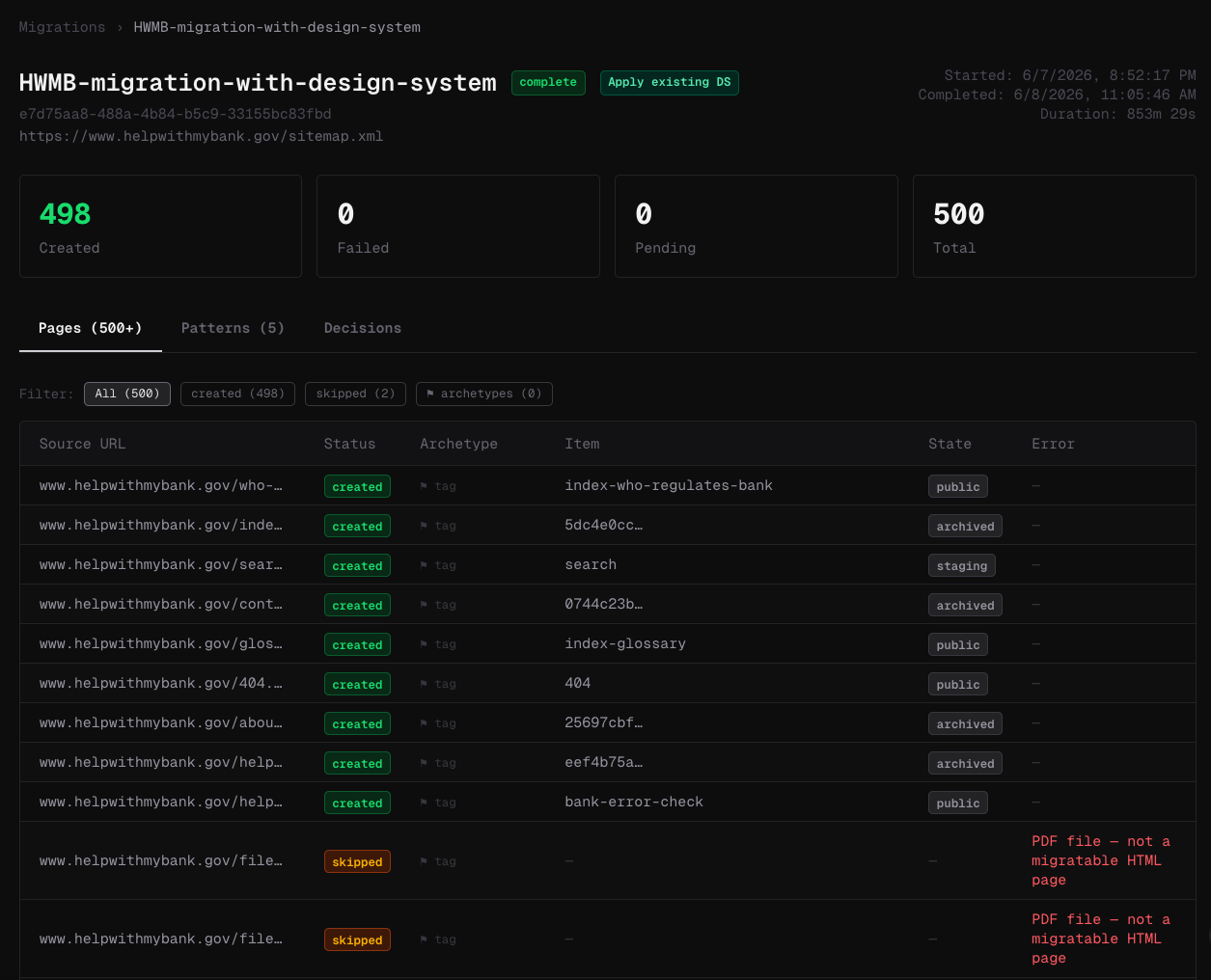
Your live site keeps running while you edit. Nothing reaches production without a staging preview and an explicit publish.
Authors — human or AI — draft in your design system's components. Agents propose copy that links to your existing content; you edit and approve in place. Optimistic locking means no one silently overwrites anyone.
Every change gets a production-faithful staging preview. The link graph shows you what your change touches before you commit to it — dependencies in, dependencies out.
Approval pushes a versioned commit to your GitHub repository and deploys static files to your host — Cloudflare, Netlify, or Vercel. The audit trail writes itself, because it *is* the git history plus RIFT's transaction log.
Every action ran through the API with logging, idempotency keys, and dry-run mode — so rollbacks are exact, audits are queries, and "what changed on the disclosures page in March" has a one-line answer.
A designed pattern: agents do the repetitive work, RIFT enforces the structure, and a human approves everything that matters.